 Genzee
QR Codes for Small Businesses: Ten Practical Uses
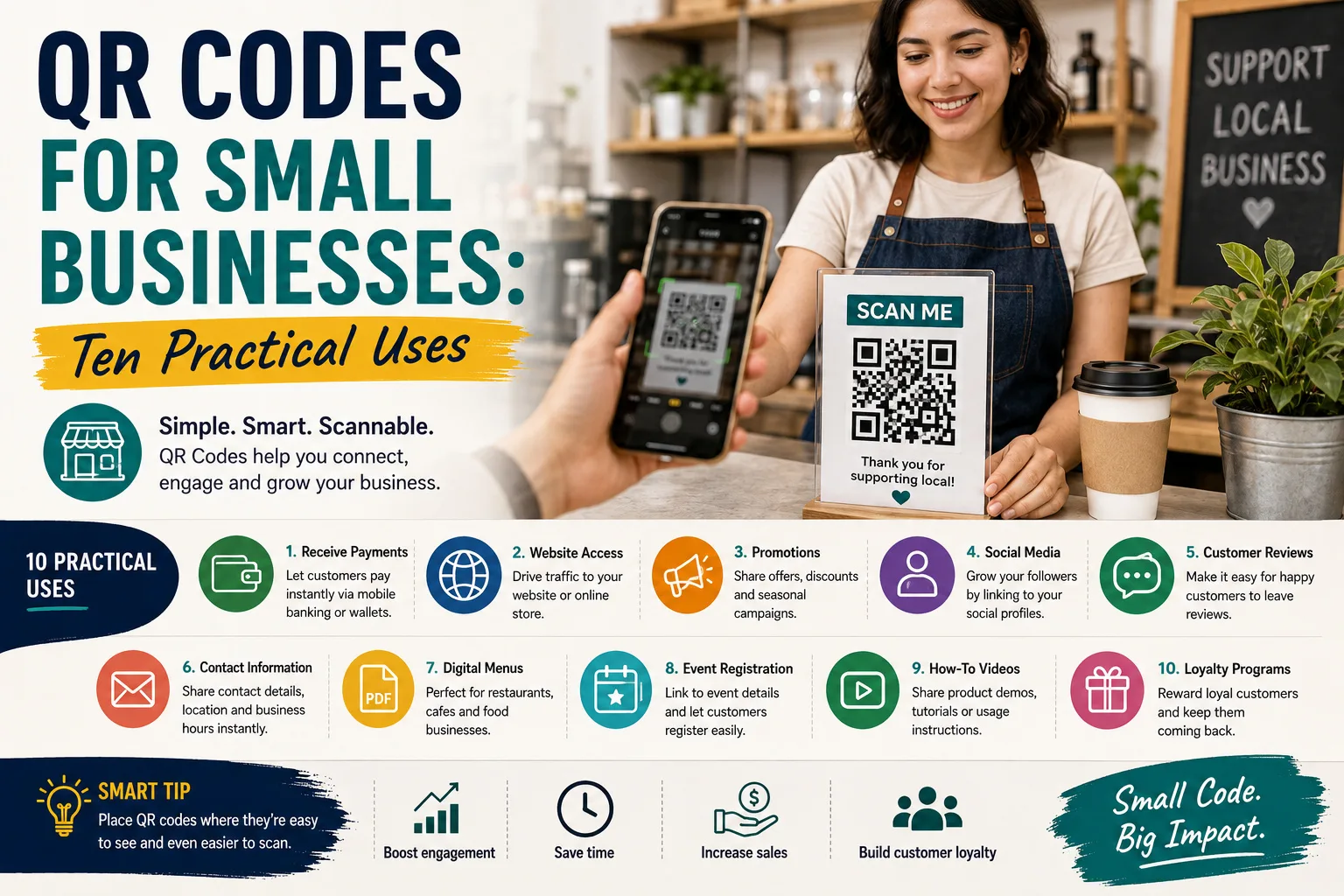
The QR code went from tech curiosity to daily infrastructure — Raast payments, restaurant menus, event tickets — because it solves one stubborn problem: moving someone from the physical world to a digital destination without asking them to type. For a small business, that bridge is free to build. Here are ten uses that earn their ink, plus the sizing and printing rules that separate codes that scan from codes that decorate.
1. The payment code on the counter
The highest-value QR in Pakistan: your Raast/bank payment code on a laminated card at the till. Customers pay by scan, you avoid change disputes, and every transaction is recorded. Print two — one at the counter, a spare in the drawer for the day the first one wanders off.
2. The menu that updates itself
A code on each table linking to your menu (a PDF or a simple page) means price updates cost nothing — edit the file at the link, and every printed code updates instantly. This is the QR's superpower: the code encodes the address, not the content, so the destination can change while the ink doesn't.
3. The review request that actually gets used
"Review us on Google" fails because nobody types. A code linking directly to your Google review page — printed on the receipt, the bag, or a small counter stand ("Scan to tell us how we did") — converts satisfied customers into public ratings at a rate typed URLs never approach.
4. WhatsApp, without the digit-dictation
A code encoding your wa.me link opens a chat with your business in one scan. On shop signage it turns walk-past traffic into an inquiry channel; on delivery packaging it turns every parcel into a reorder mechanism.
5. The business card that survives
Cards get lost; contacts saved to a phone don't. A QR encoding your details (vCard text) on the card's back moves you into the phone book in one scan — and the same code works on your CV, portfolio and email signature.
6. Product packaging that explains itself
Care instructions, ingredient sourcing, usage videos — a code on the label carries content the packaging can't fit. For home-based food and craft businesses, it's the difference between a jar and a story.
7. The catalogue on the shop window
A closed shop with a "scan for our full catalogue and prices" code sells while you sleep — the window becomes a 24-hour storefront pointing at your Instagram, website or WhatsApp catalogue.
8. Event and offer posters
Posters die when the reader must remember a URL. A code linking to registration, location (a Google Maps pin), or the offer's terms captures the interest at the moment it exists. Track engagement by using a distinct link per poster location.
9. Warranty and service registration
A code on the warranty card linking to a registration form (even a free Google Form) builds the customer database that small retailers usually never collect — the raw material for reorder reminders and service follow-ups.
10. The invoice that gets paid faster
A payment QR printed on your invoices removes the last excuse between "received" and "paid". Generate the invoice with our invoice generator, add your payment code, and the collection call becomes a scan.
Printing rules that keep codes scannable
- Size: minimum 2×2 cm for close-range scanning; roughly 1/10 of the scanning distance otherwise (a poster scanned from 2 m needs ~20 cm).
- Quiet zone: leave a white margin around the code — busy backgrounds break scans.
- Contrast: dark code on light background; never invert, never print on glossy tape that glares.
- Short URLs scan better: long tracking-parameter URLs produce dense, fragile codes — shorten first (our code density point in practice: under 100 characters is the comfort zone).
- Test before printing 500: scan the final artwork from a phone — in poor light, at an angle. Then print.
Every use above starts the same way: paste a link into our free QR code generator, download the PNG, and print. The codes are static — they never expire and carry no subscription — and generation happens entirely in your browser. Total cost of the whole strategy: the lamination. For the technical story of how the codes survive smudges and folds, see the generator page's guide.
Measuring whether your codes actually work
A printed code either earns its space or decorates it, and cheap measurement tells you which. The simplest instrument: distinct links per placement — the counter card, the receipt, and the window poster each get their own short link (or the same page with ?src=counter-style tags), so any basic analytics shows which locations scan and which don't. Expect asymmetry: counters and tables massively outperform outdoor posters, and codes at natural waiting moments (queues, delivery bags being handed over) outperform everything. Iterate the call-to-action, not the code: "Scan me" underperforms a promise — "Scan for today's prices", "Scan to pay without waiting", "Scan, review us, get a discount next visit" each give the thumb a reason. Keep the destination mobile-fast (a heavy page defeats the whole convenience premise — see the image optimization guide), and check quarterly that every printed link still resolves — the silent 404 behind a faded counter card is the most common QR failure in the wild. Total tooling cost for all of this: zero, using the free generator and any link shortener — which makes QR placement one of the few marketing experiments a small shop can run entirely on pocket change and curiosity.