 Genzee
CSV vs JSON: Which Data Format Should You Use?
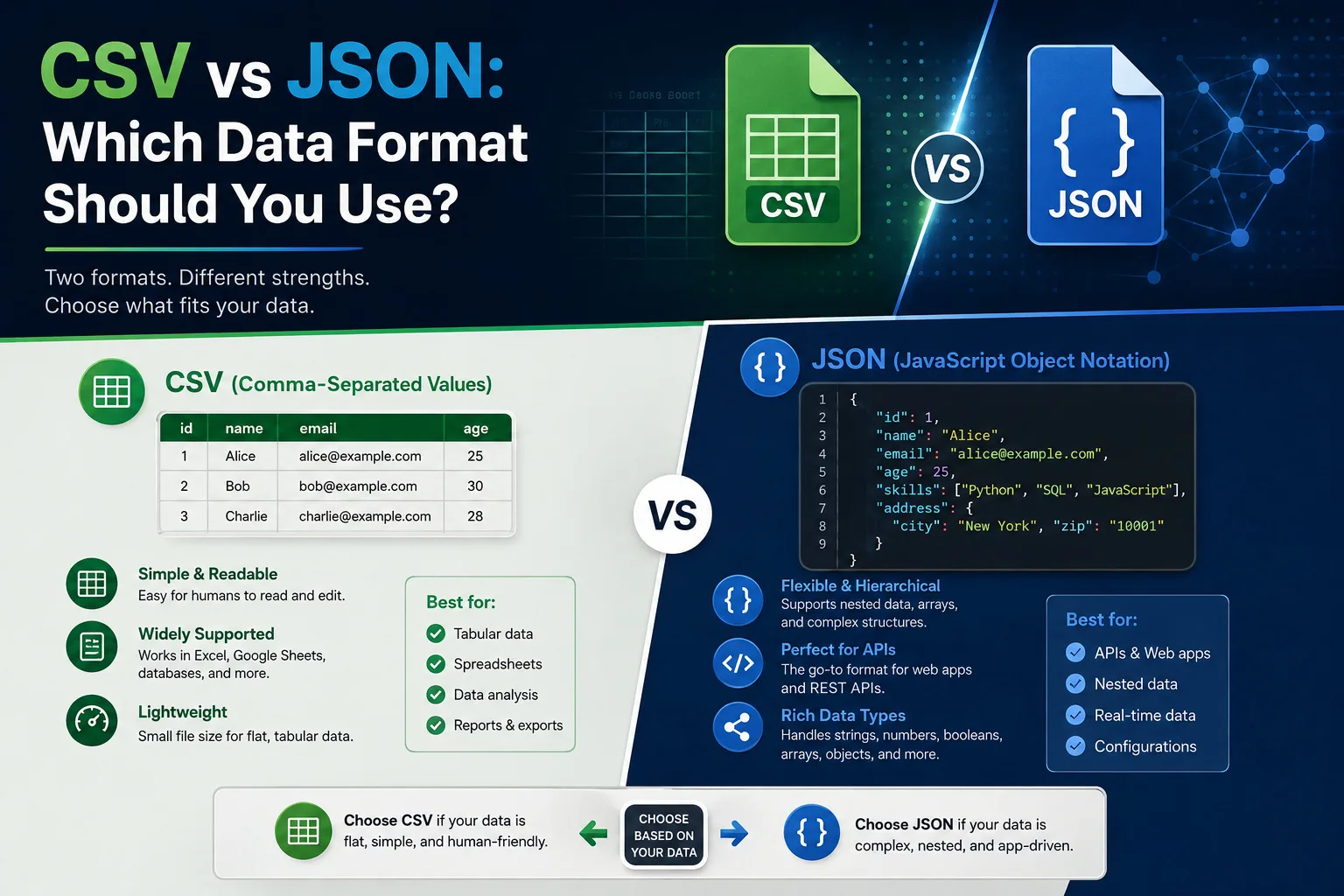
Sooner or later, everyone who touches data meets both: CSV, the plain-text table that every spreadsheet exports, and JSON, the bracketed format every API speaks. They can carry the same information, yet each dominates its own territory for good reasons — and moving data between territories is one of the most common small technical tasks there is. Here's what each format actually is, where each wins, and the gotchas that corrupt data in transit.
CSV: the universal table
Comma-Separated Values is exactly what it says — rows of values separated by commas, one line per record:
Ali,Karachi,5000
"Khan, Sara",Lahore,7500
Its virtues: every tool on earth opens it (Excel, Google Sheets, databases, accounting software), it's compact, humans can read it raw, and non-programmers can produce it with "Save as CSV". Its limits: it's flat — one table, no nesting; it carries no data types (is 5000 a number or text? is 03-04 March 4th or April 3rd?); and its quoting rules (see that "Khan, Sara") are where naive tools shred data.
JSON: the structured messenger
JavaScript Object Notation represents data as nested objects and arrays with explicit types:
"orders": [{"id": 1, "total": 2500}, {"id": 2, "total": 2500}]}]
Its virtues: structure — records can contain lists and sub-objects (a customer with their orders), types are explicit (5000 is a number, "5000" is text), and it's the native tongue of web APIs, JavaScript and configuration files. Its limits: spreadsheets don't open it, it's wordier than CSV for flat tables, and hand-editing invites bracket accidents.
The decision rule
- Going to a spreadsheet, accountant, or bulk-import screen? CSV. It's the format of the business world's tables.
- Going to code, an API, or a config file? JSON. It's the format of the software world's messages.
- Data is genuinely nested (customers→orders→items)? JSON natively; CSV only via multiple linked files or flattening.
- Millions of simple rows? CSV — smaller and stream-friendly.
The gotchas that eat data
- The comma inside the value:
Khan, Saramust be quoted or it becomes two fields. Proper CSV doubles internal quotes ("He said ""ok"""). Naive split-on-comma code — and some quick scripts — get this wrong silently. - Excel's helpful vandalism: opening CSV in Excel auto-converts things — long numbers to scientific notation (goodbye, CNIC numbers), anything date-like to dates, leading zeros deleted (phone numbers maimed). Defence: import with columns typed as Text rather than double-clicking the file.
- The European semicolon: locales using comma as the decimal mark export CSV delimited by semicolons. Neither file is wrong; the reader just needs telling.
- Encoding: Urdu and other non-Latin text needs UTF-8 end to end; a wrong-encoding hop turns names into question marks permanently.
- JSON's strictness: one trailing comma or unquoted key and parsers reject the file entirely — which is actually a feature (loud failure beats silent corruption), but surprises CSV natives.
Converting between them (without a script)
The conversion itself is mechanical: CSV headers become JSON keys; each row becomes an object; going the other way, keys become headers. Our CSV ⇄ JSON converter does both directions in your browser with proper RFC-4180 quoting — commas-in-values and embedded line breaks survive — plus delimiter choice (comma/semicolon/tab, the last being what Excel copy-paste produces) and a headers toggle. Nothing uploads anywhere, so customer lists and financial exports stay on your machine. For stuffing the result safely into a URL or config, the Base64 encoder is the companion tool.
The takeaway
There's no winner — there's a border, and the formats rule opposite sides of it. Fluency means knowing which side your data is headed for, converting cleanly at the crossing, and respecting the small print (quoting, encoding, Excel's enthusiasm) that decides whether the data arrives intact. With a proper converter bookmarked, the crossing takes seconds either way.
A field guide to real-world conversion jobs
The abstract comparison becomes concrete in a handful of recurring situations. The accountant hand-off: your app or API exports JSON; the accountant lives in Excel. Convert with headers on, check that long numbers (CNICs, account numbers) survived as text, and send CSV — you've just saved an hour of manual re-typing and its inevitable errors. The bulk upload: e-commerce platforms and ad managers want product CSVs in exact column orders; build the sheet in Excel, export CSV, and validate by converting to JSON with the converter — if the JSON's fields look right, the quoting survived and the upload will parse. The API mock: frontend developers needing test data can convert any spreadsheet of realistic rows straight into the JSON array their code expects — faster than writing fixtures by hand. The rescue job: a "broken" CSV that imports with shifted columns almost always has an unquoted comma or a rogue line break; converting it to JSON makes the bad row visually obvious in seconds. The archive: for data meant to be readable in twenty years, plain CSV with a notes file describing columns beats every proprietary format ever invented. Different jobs, one skill: knowing both formats' rules and owning a converter that respects them.